Text and pattern: engraving depth and second colour.
Engraving depths, AMS second colour for text.
3 min readPrintUpdated 12 Oct 2026
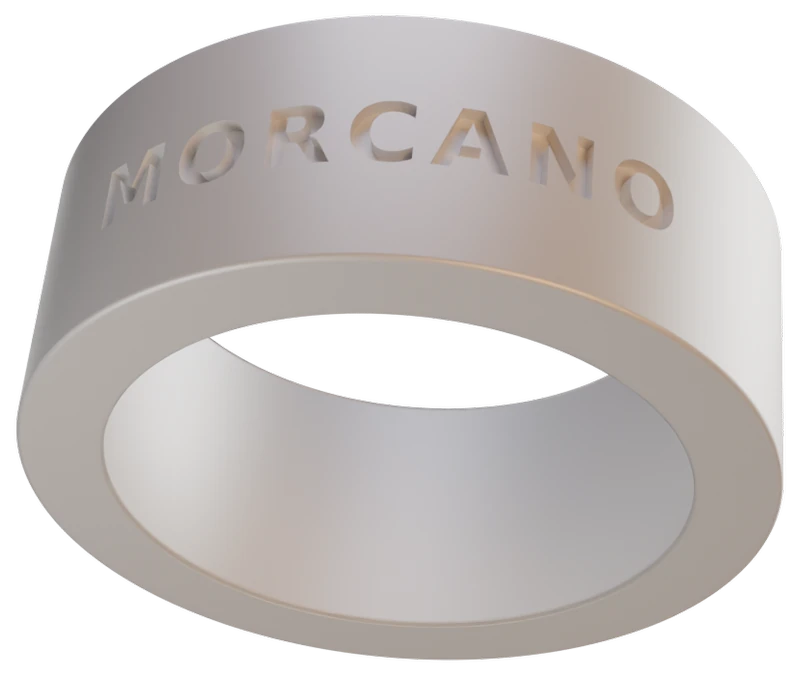
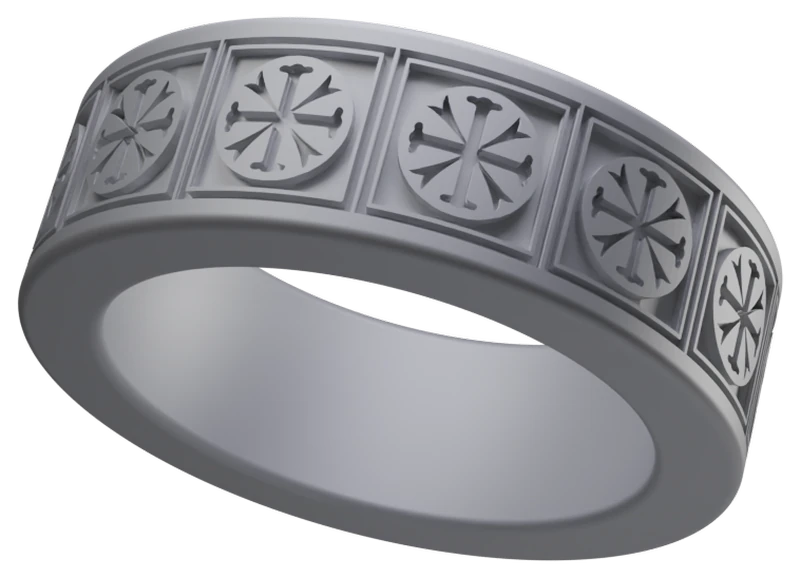
Text and SVG patterns on the outside of a Morcano ring are engraved into the band. Engraved text can be filled with a separate inlay body in a second colour, which needs an AMS. A pattern is engraved in the band colour.
Steps
Add text or a pattern
Type your words, or upload an SVG made of filled shapes.
Choose the depth
The default is 0.6 mm, three layers at 0.2 mm, which reads by shadow even in one colour.
Export 3MF
For engraved text the studio exports the inlay as its own object, so a slicer with an AMS can give it a separate filament.
Assign the colour
With an AMS, point the text object at your second filament. Without one, point it at the band filament, and the letters still read because the recess is real geometry.
Depths and colour rules
- Text outside
- Engraved 0.6 mm by default. A second-colour inlay fills the lower part of the cut, and its face sits 0.2 mm below the band surface, so the letters stay recessed.
- Text inside
- Engraved 0.15 to 0.3 mm deep, 0.3 mm by default.
- SVG pattern
- Engraved 0.15 to 1.0 mm deep and repeated 1 to 48 times. Only filled shapes are engraved. Strokes without a fill, text and raster images are not.
- Second colour for text
- Needs an AMS. Without one the inlay prints in the band filament.
- Manual filament change
- Does not work for text. The inlay shares layers with the band wall all the way up, so no single pause at one height can separate them.