Make a spice rack for jars and bottles to 3D print.
Jars in front, sauce bottles behind, a word on the front.
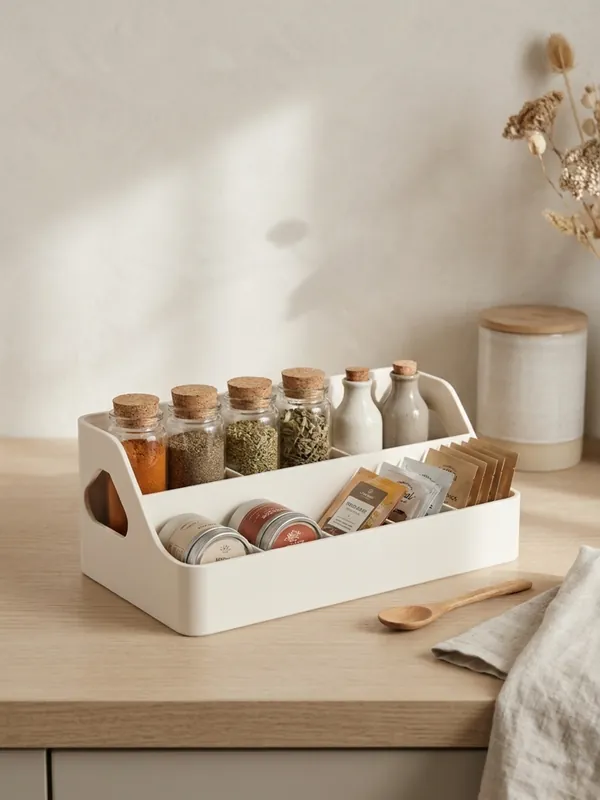
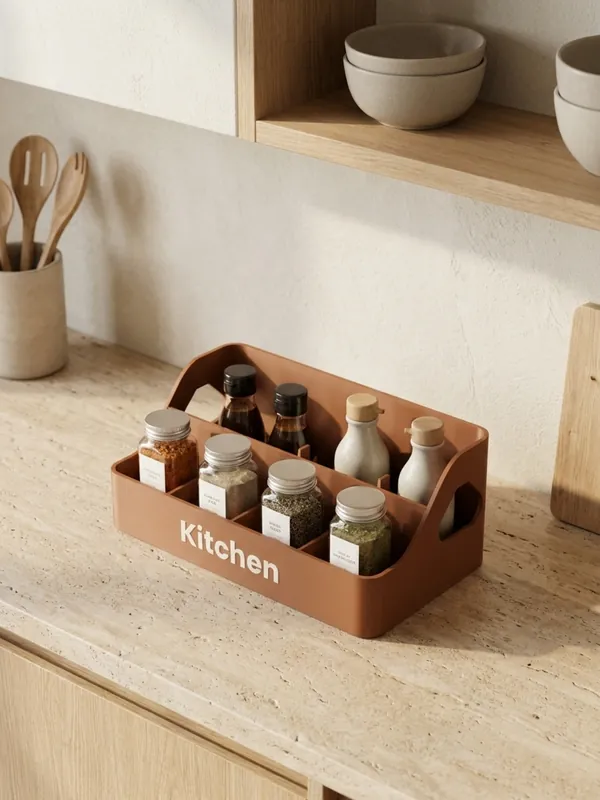
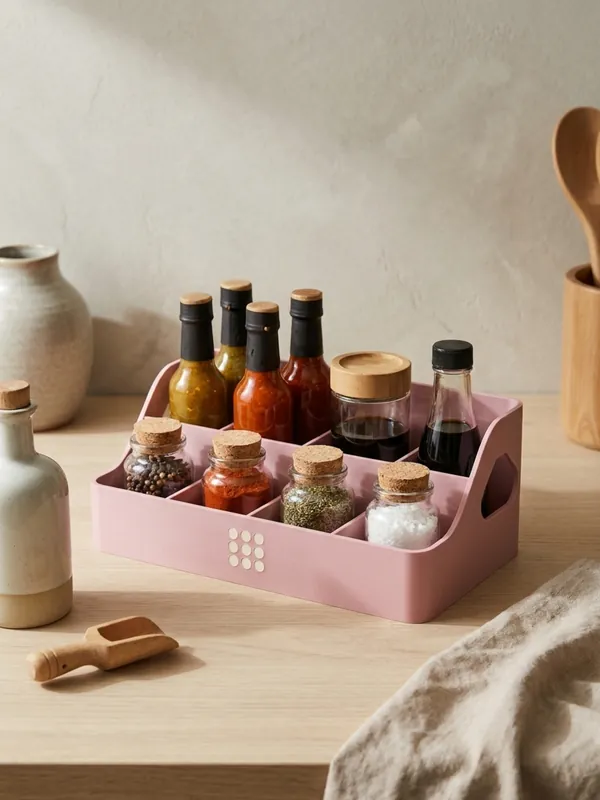
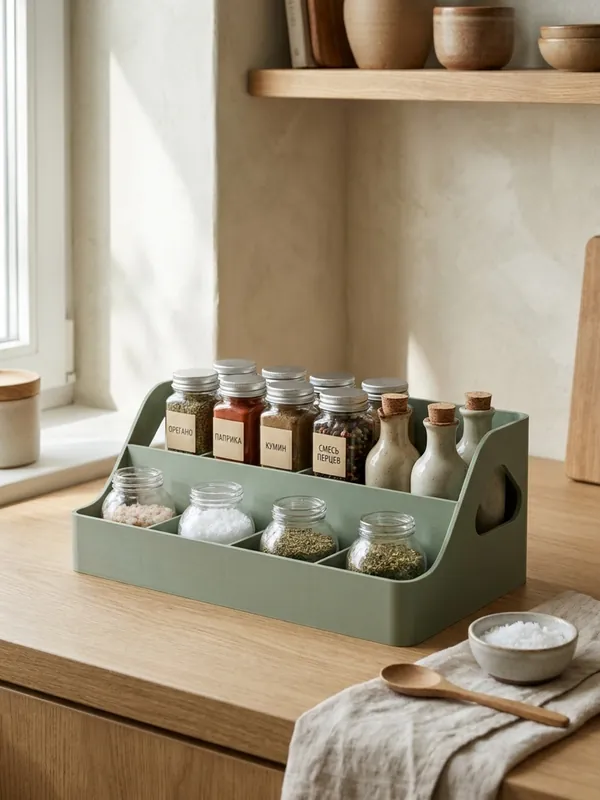
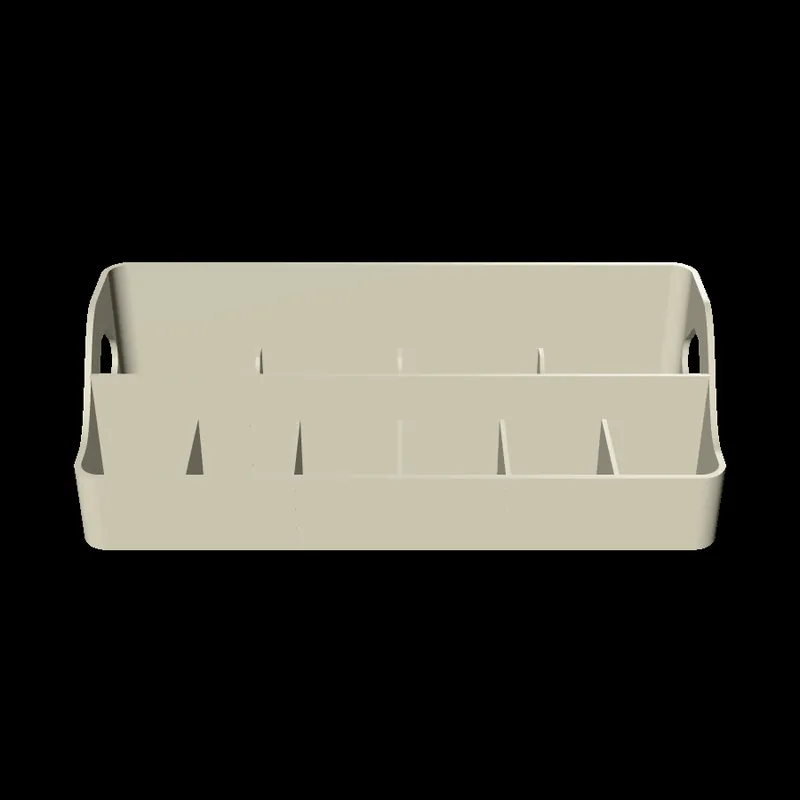
The Spice Racks generator makes a countertop caddy for the kitchen: a low row of cells for spice jars in front, and a taller row behind for oil, vinegar and sauce bottles, so every label stays in sight. You size it from your own jars and bottles, and the rack grows round them; or you give the length and depth of your shelf, and the cells share it. Hand holes in the ends let you carry it to the table, and a word or a logo goes on the front.
Examples
How to make a spice rack
Measure a jar and a bottle
Across the widest point. Or measure the shelf instead and choose to size the rack from it.
Count them
How many jars in front and bottles behind. If they do not fit the bed, the rack keeps as many as fit and says so.
Set the heights
The front row low enough to read the jar labels, the back row tall enough to hold the bottles.
Finish it
The wall, the corner rounding, and the hand holes.
Put a word on it
Spices, Kitchen or a family name, or your logo, inlaid in a second colour or raised.
Export and print
Upright, in one piece.
What you can change
- Size
- From your items (jars 25 to 90 mm, bottles 30 to 100 mm across), or a length of 80 to 246 mm and a depth of 50 to 220 mm with the jar row 30 to 70% of it.
- Rows
- 1 to 10 jars in front, 0 to 10 bottles behind; front 15 to 80 mm tall, back 25 to 150 mm.
- Rack
- Wall 1.6 to 4 mm, bottom 1.6 to 4 mm, corners 1 to 25 mm, hand holes on or off.
- Name or logo
- Text in one of 11 fonts, 6 to 40 mm tall, or your logo (SVG, PNG or JPG) on the front: inlaid flush in a second colour, or raised 1 mm in the body's colour. A word too long for the room is set smaller, with a note.
Printing tips
Tip.The hand holes have a pointed top at 45 degrees with a 10 mm bridge above it, which any printer spans, so the rack prints without supports.
Each cell is 1.5 mm wider than the jar or bottle you set, so it drops in and lifts out easily.
The 3MF keeps each colour as its own object, so a printer with automatic filament changes (such as a Bambu Lab AMS) prints it in one go. With one colour, print every object in the same filament.
Where it is used
- Spices and oils next to the stove.
- Sauces and condiments on a cafe or restaurant table, with its name on the front.
- A gift set of spices in a rack with a name.
- Bottles of nail polish, paint or inks on a craft desk.
Questions
Will my jars fit?
Measure one across and set it; the cells are made 1.5 mm wider. The rack grows round the number of jars and bottles you ask for.
How big can it be?
Up to 246 mm long, to fit a 256 mm printer bed. Items that do not fit are left out, with a note.
Does it need supports?
No. It prints upright in one piece; the hand holes have a 45 degree top.
Is it safe for food?
The jars and bottles hold the food; the rack only holds them. Printed PLA is not made for the dishwasher - wipe it clean.
Can I put a name or a logo on it?
Yes. Upload an SVG, PNG or JPG; a picture is traced to one colour. Choose an inlay flush with the surface in a second colour, or a raised mark. You must hold the rights to what you upload.
What file do I get?
A 3MF, which keeps each colour as its own object for a multi-colour printer, or an STL. Every file is checked before it downloads: closed (watertight) geometry, a single shell and walls thick enough to print.
Is it free?
The free plan gives 3 designs a month on each generator. Selling the printed pieces needs the Seller or Studio plan, which include the commercial licence.
Licence
On the Free and Maker plans you may print your designs for yourself and as gifts, not for sale. Selling the printed pieces needs the Seller or Studio plan, which include the commercial licence and a licence certificate for each design. Pieces made during the free beta, before paid plans launched, may still be sold on the terms of that time. The exported files themselves can never be resold or redistributed, on any plan.
This is a summary. Read Can I sell rings I 3D print with Morcano? and the Terms, which are the authoritative text.